


Ponies on The Run!


Legacy TMS Member

Joined: May 24, 2006
Posts: 7,410
Likes: 1
From: San Diego
Well atleast I tried.
Woops. I just forget that you got a tune since you don't have a CAI and the fact that you seem to be against doing peformance mods with your S-197.
EDIT***
My car was dynoed on a dynojet.

Woops. I just forget that you got a tune since you don't have a CAI and the fact that you seem to be against doing peformance mods with your S-197.
EDIT***
My car was dynoed on a dynojet.

Yes, met up with JedCranium there (aka CPK Bill... sorry, those two names just seem to go together!  ). He brought the Roush Stage 1 with him.. lookin' fine! He said he tried to talk you into going lastnight to the Meet.
I didn't bring my Stang, just dropped by to pick up some Adams spray for me and Leo and get some t-shirts.
Code?
It's a Dynojet. 
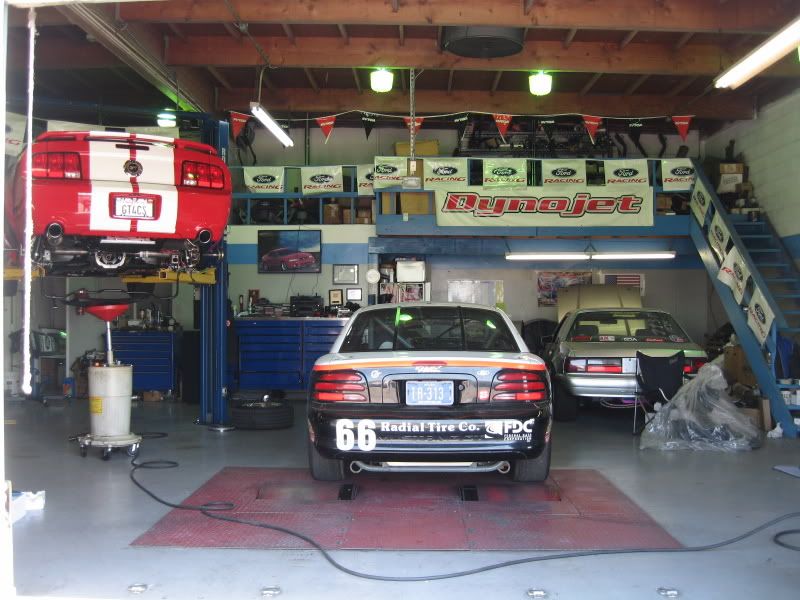
I have to research what the deal is with 'actual' vs 'SAE corrected'? Do you know?
). He brought the Roush Stage 1 with him.. lookin' fine! He said he tried to talk you into going lastnight to the Meet.I didn't bring my Stang, just dropped by to pick up some Adams spray for me and Leo and get some t-shirts.

I have to research what the deal is with 'actual' vs 'SAE corrected'? Do you know?

GTR Member
Joined: January 26, 2006
Posts: 4,639
Likes: 0
From: Central Florida
My findings:
Un-Corrected vs. Corrected Horsepower & Torque
The dyno and its computer output the horsepower and torque numbers for your vehicle. There are really two sets of numbers, un-corrected and corrected. Each dyno is subjected to different atmospheric conditions. To facilitate comparison, the "standard" is Society of Automotive Engineers (SAE) standard J1349. The dyno results are "corrected" the this standard in order to accurately compare the "Numbers". Dyno numbers corrected to SAE J1349 alter the data to make it seem as if it was taken when the atmospheric pressure was 29.23 in/hg., the temperature 77°F and the humidity zero. Automatic measurement of the barometric pressure and ambient air temperature together with humidity measurement ensure repeatability between tests.
Always ask what correction factor was used to calculate the data when judging various performance products on the basis of dyno test results.
BOTTOM LINE:
If you want to know whether you are going to burn up the tranny with too much power on a cool, humid day, then go to the dyno and look at uncorrected power to see how exactly much power you have under these conditions.
But if you want to compare the effects due to modifications, or you want to compare several different cars at different times, then the corrected readings of the "standard" dyno will be more useful.
Un-Corrected vs. Corrected Horsepower & Torque
The dyno and its computer output the horsepower and torque numbers for your vehicle. There are really two sets of numbers, un-corrected and corrected. Each dyno is subjected to different atmospheric conditions. To facilitate comparison, the "standard" is Society of Automotive Engineers (SAE) standard J1349. The dyno results are "corrected" the this standard in order to accurately compare the "Numbers". Dyno numbers corrected to SAE J1349 alter the data to make it seem as if it was taken when the atmospheric pressure was 29.23 in/hg., the temperature 77°F and the humidity zero. Automatic measurement of the barometric pressure and ambient air temperature together with humidity measurement ensure repeatability between tests.
Always ask what correction factor was used to calculate the data when judging various performance products on the basis of dyno test results.
BOTTOM LINE:
If you want to know whether you are going to burn up the tranny with too much power on a cool, humid day, then go to the dyno and look at uncorrected power to see how exactly much power you have under these conditions.
But if you want to compare the effects due to modifications, or you want to compare several different cars at different times, then the corrected readings of the "standard" dyno will be more useful.
But, since you don't have the file, maybe this will help?
The equation for the dyno correction factor given in SAE J1349 JUN90, converted to pressure in mb, is:

where: cf = the dyno correction factor
Pd = the pressure of the dry air, mb
Tc = ambient temperature, deg C
The pressure of the dry air Pd, is found by subtracting the vapor pressure Pv from the actual air pressure. For more information about pressures and calculation of the vapor pressure, see Air Density and Density Altitude.
The relative horsepower is simply the mathematical reciprocal of the correction factor.


Legacy TMS Member
Joined: May 24, 2006
Posts: 7,410
Likes: 1
From: San Diego
I've read that you need your run file, then you can run it through the Dynojet program (can download it) to see the results from different corection factors.
But, since you don't have the file, maybe this will help?
The equation for the dyno correction factor given in SAE J1349 JUN90, converted to pressure in mb, is:
where: cf = the dyno correction factor
Pd = the pressure of the dry air, mb
Tc = ambient temperature, deg C
The pressure of the dry air Pd, is found by subtracting the vapor pressure Pv from the actual air pressure. For more information about pressures and calculation of the vapor pressure, see Air Density and Density Altitude.
The relative horsepower is simply the mathematical reciprocal of the correction factor.
But, since you don't have the file, maybe this will help?
The equation for the dyno correction factor given in SAE J1349 JUN90, converted to pressure in mb, is:
where: cf = the dyno correction factor
Pd = the pressure of the dry air, mb
Tc = ambient temperature, deg C
The pressure of the dry air Pd, is found by subtracting the vapor pressure Pv from the actual air pressure. For more information about pressures and calculation of the vapor pressure, see Air Density and Density Altitude.
The relative horsepower is simply the mathematical reciprocal of the correction factor.


Bill-


GTR Member
Joined: January 26, 2006
Posts: 4,639
Likes: 0
From: Central Florida
I downloaded the program from DynoJet. Justin (the dyno guy) gave me the run files and I fooled around a little bit with it and it's not even worth worrying about. I corrected up to a factor of 5 and it's miniscule.
HP went up a max of 2.
HP went up a max of 2.
GTR Member
Joined: January 26, 2006
Posts: 4,639
Likes: 0
From: Central Florida
This made me happy! I finally figured out how to work the dyno program and the files that Justin gave me. Here is a picture of all 4 of my dyno runs:
http://i47.photobucket.com/albums/f1...angs/dynos.jpg
The clutch was definitely slipping at Fantasy of Flight, too!! It looks like right around 3000 RPM is when the clutch starts to go south.
Light Blue Line: Best power, least amount of slippage.
Red Line: Same power until the clutch really slipped around 4750 RPM. You can see that right when the clutch slipped more, the power dropped.
Green & Dark Blue Line: Much less power, much more slippage.
Orange Line: What the RPM-to-MPH line should look like.
Can't wait to see what I'll get when the clutch can handle the power!
http://i47.photobucket.com/albums/f1...angs/dynos.jpg
The clutch was definitely slipping at Fantasy of Flight, too!! It looks like right around 3000 RPM is when the clutch starts to go south.
Light Blue Line: Best power, least amount of slippage.
Red Line: Same power until the clutch really slipped around 4750 RPM. You can see that right when the clutch slipped more, the power dropped.
Green & Dark Blue Line: Much less power, much more slippage.
Orange Line: What the RPM-to-MPH line should look like.
Can't wait to see what I'll get when the clutch can handle the power!
This made me happy! I finally figured out how to work the dyno program and the files that Justin gave me. Here is a picture of all 4 of my dyno runs:
http://i47.photobucket.com/albums/f1...angs/dynos.jpg
The clutch was definitely slipping at Fantasy of Flight, too!! It looks like right around 3000 RPM is when the clutch starts to go south.
http://i47.photobucket.com/albums/f1...angs/dynos.jpg
The clutch was definitely slipping at Fantasy of Flight, too!! It looks like right around 3000 RPM is when the clutch starts to go south.
I'll be asking for my files as well so I can play around with the program.
Your results are similar to what I've read, just a small difference in HP.
On your graph, it's all over the place. Even between runs 2 & 3, where the MPH and torque is consistent, the HP isn't. Because of the clutch slippage?
GTR Member
Joined: January 26, 2006
Posts: 4,639
Likes: 0
From: Central Florida
How did you get the run files? Did you bring your memory stick along?
Justin emailed them to me.
On your graph, it's all over the place. Even between runs 2 & 3, where the MPH and torque is consistent, the HP isn't. Because of the clutch slippage?
I think so. The dyno only really measures torque. It then uses a formula to calculate HP. MPH and RPM are in that formula, so if they are screwed up, HP will be screwed up, too. To measure power you must already have an accurate measurement of work and the time required for the work to be performed.
Justin emailed them to me.
On your graph, it's all over the place. Even between runs 2 & 3, where the MPH and torque is consistent, the HP isn't. Because of the clutch slippage?
I think so. The dyno only really measures torque. It then uses a formula to calculate HP. MPH and RPM are in that formula, so if they are screwed up, HP will be screwed up, too. To measure power you must already have an accurate measurement of work and the time required for the work to be performed.
GTR Member
Joined: January 26, 2006
Posts: 4,639
Likes: 0
From: Central Florida
Well, hopefully I'll get a hold of my files and you can show me how to tinker with it.
Are there any limitations on the demo (ie. limited number of access or exxpires in X number of days)?
GTR Member
Joined: January 26, 2006
Posts: 4,639
Likes: 0
From: Central Florida
Not sure about limitations.
Did you see my post above the one you quoted talking about the HP?

Tasca Super Boss 429 Member
Joined: January 4, 2006
Posts: 3,904
Likes: 32