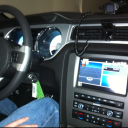
Sync 4.4 Update.


legacy Tms Member MEMORIAL Rest In Peace 10/06/2021

Joined: September 16, 2009
Posts: 3,381
Likes: 125
From: Clinton Tennessee


Bullitt Member
Joined: January 6, 2014
Posts: 345
Likes: 1
From: NYC
Send a PM to Kim (the Ford technology rep on here - FordIVTteam) and she can check for you - she's checking for me currently and had to escalate it for some reason but hoping it results in an update for me!

Ford In-Vehicle Technology Rep
Joined: August 11, 2011
Posts: 449
Likes: 3
Have you already tried these troubleshooting steps: http://owner.ford.com/how-tos/sync-t...ync-navigation
Send a PM to Kim (the Ford technology rep on here - FordIVTteam) and she can check for you - she's checking for me currently and had to escalate it for some reason but hoping it results in an update for me!

Kim



Legacy TMS Member
Joined: September 6, 2011
Posts: 1,892
Likes: 56
From: Kansas City, MO

Super Boss Lawman Member
Joined: February 5, 2015
Posts: 4,247
Likes: 1,155
From: Yukon, OK

V6 Member
Joined: February 20, 2015
Posts: 91
Likes: 3
From: Windsor,CA
It should be a simple update for Sync 3 since that had switched away from Microsoft and to a Blackberry based OS. All it would need to do to work with either CarPlay or Android Drive is to turn on mirroring and allow a phone to screen share with the display in the car.
Bullitt Member
Joined: January 6, 2014
Posts: 345
Likes: 1
From: NYC
Not from Kim - I read it over on Facebook. Someone said a Ford tech told them it's not available for 2011 models. Like I said - I hope its wrong because I would really like that update. My guess is it will probably be something we need to take in to the dealer to get it done.


Mach 1 Member
Joined: June 10, 2012
Posts: 748
Likes: 5
From: Southern Oregon
only thing this update did was allow me to talk back to txt - now the audio source goes back to FM and when bluetooth rings my phone it flashes on and off on the display - I press the phone button and it answers but this is not an improvement - wish I hadn't upgraded......
btw - I run a htc one m8 windows 8.1.1 phone - you'd think microsoft would make it so windows phone and sync work together eh?....5
btw - I run a htc one m8 windows 8.1.1 phone - you'd think microsoft would make it so windows phone and sync work together eh?....5


Member
Joined: January 24, 2015
Posts: 47
Likes: 0
From: California
Installed the update a couple days ago and got to try it out longer term today while driving in traffic. I've always had a pretty flawless experience with SYNC and my phone (HTC One M7) since day 1. Like others have mentioned, I like now that when I listen to the music on my phone via bluetooth, it displays the artist/track title on the console (I don't have a navi screen).
One thing that I was hoping would change though is to be able to switch back and forth from Pandora and my phone music using voice control. Unless I'm not doing it right, I haven't found a way to do that. For instance, if I want to stop listening to Pandora, I've pushed the voice button and said exit, which exits/stops Pandora. But then next when I say "bluetooth audio" to listen my music, it ends up just playing Pandora because it's still running in the background of my phone. So basically if I want to go from listening to Pandora to my music, I have to pick up the phone and physically stop the Pandora app. Anybody know a way around this?
One thing that I was hoping would change though is to be able to switch back and forth from Pandora and my phone music using voice control. Unless I'm not doing it right, I haven't found a way to do that. For instance, if I want to stop listening to Pandora, I've pushed the voice button and said exit, which exits/stops Pandora. But then next when I say "bluetooth audio" to listen my music, it ends up just playing Pandora because it's still running in the background of my phone. So basically if I want to go from listening to Pandora to my music, I have to pick up the phone and physically stop the Pandora app. Anybody know a way around this?
Last edited by glo106; Mar 28, 2015 at 04:37 PM.