


Sync Applink w/ Android 4.0+ issues

Thread Starter
Bullitt Member

Joined: January 30, 2012
Posts: 260
Likes: 0
From: Sacramento, CA
Sync Applink w/ Android 4.0+ issues
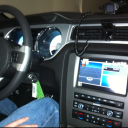
Hey guys, I just got a new phone yesterday, went from an iPhone to android. I'm having some issues using it with sync and applink. I set it up with the car and can play everything fine via bluetooth stream, but when trying to play via USB I'm having issues.
On my iPhone, I could just tell my car to go into usb mode, then on my phone start pandora, and then it would just start playing..that was it. I could also just say "mobile apps" and then say pandora, and that would also work and would utilize the applink features. Now when I change to USB, and touch pandora on my phone, it plays pandora out of my phone speaker. If I voice-command the car to play an artist I have on my phone that works. But if I go to my music library on my phone and click a song, it plays over my phone speakers.
Finally, on my new phone if I say mobile apps, it says it can't find any mobile apps, even when pandora is running on my phone....not sure what the problem is at this point.
On my iPhone, I could just tell my car to go into usb mode, then on my phone start pandora, and then it would just start playing..that was it. I could also just say "mobile apps" and then say pandora, and that would also work and would utilize the applink features. Now when I change to USB, and touch pandora on my phone, it plays pandora out of my phone speaker. If I voice-command the car to play an artist I have on my phone that works. But if I go to my music library on my phone and click a song, it plays over my phone speakers.
Finally, on my new phone if I say mobile apps, it says it can't find any mobile apps, even when pandora is running on my phone....not sure what the problem is at this point.
Thread Starter
Bullitt Member
Joined: January 30, 2012
Posts: 260
Likes: 0
From: Sacramento, CA

Thread Starter
Bullitt Member
Joined: January 30, 2012
Posts: 260
Likes: 0
From: Sacramento, CA
I can give that a try after work. I'm skeptical whether it will help though. I'm not sure whether its an issue with the car or the phone. Or both.
Thread Starter
Bullitt Member
Joined: January 30, 2012
Posts: 260
Likes: 0
From: Sacramento, CA
So I fiddled around with it for a bit when I went to get lunch and had some success. For some reason it will only work with the applink when I'm connected via bluetooth. I'm not really sure why. With my iPhone, I just had to plug it in via usb, and then say mobile apps..etc and it worked, didn't matter if I was connected via bluetooth.
But the only time I can get my android phone to do it is when connected to bluetooth.
But the only time I can get my android phone to do it is when connected to bluetooth.

GT Member
Joined: May 3, 2011
Posts: 120
Likes: 0
I had played Pandora through bluetooth for quite a while (android 3.7 HTC Rezound) and it stopped working last week. I found out there is a new setting in the updated pandora app called "bluetooth for automotive" that needs to be checked. That said, I haven't tried it out now that I checked the box.
I have never played directly through USB though, just BT...I imagine the sound sucks slightly less in that mode...I actually didn't know you could do that.
Unfortunately it seems, despite Android's more open and flexible ecosystem, the widespread popularity of apple and supposed "ease of use" has resulted in better support for those products.
I have never played directly through USB though, just BT...I imagine the sound sucks slightly less in that mode...I actually didn't know you could do that.
Unfortunately it seems, despite Android's more open and flexible ecosystem, the widespread popularity of apple and supposed "ease of use" has resulted in better support for those products.
Last edited by Forkmachine; Jul 6, 2012 at 04:06 PM.
Thread Starter
Bullitt Member
Joined: January 30, 2012
Posts: 260
Likes: 0
From: Sacramento, CA
I had played Pandora through bluetooth for quite a while (android 3.7 HTC Rezound) and it stopped working last week. I found out there is a new setting in the updated pandora app called "bluetooth for automotive" that needs to be checked. That said, I haven't tried it out now that I checked the box.
I have never played directly through USB though, just BT...I imagine the sound sucks slightly less in that mode...I actually didn't know you could do that.
Unfortunately it seems, despite Android's more open and flexible ecosystem, the widespread popularity of apple and supposed "ease of use" has resulted in better support for those products.
I have never played directly through USB though, just BT...I imagine the sound sucks slightly less in that mode...I actually didn't know you could do that.
Unfortunately it seems, despite Android's more open and flexible ecosystem, the widespread popularity of apple and supposed "ease of use" has resulted in better support for those products.

Member
Joined: April 22, 2012
Posts: 44
Likes: 0
The Galaxy Nexus is a little different from other phones since it doesn't actually have an internal SD card, and instead fakes a card in memory.
Make sure when you connect with USB that you have the phone set to act as a Media Device (MTP) as opposed to Camera (PTP). Although, alternatively, if you are already on MTP, you could switch it to PTP and see what happens..
Make sure when you connect with USB that you have the phone set to act as a Media Device (MTP) as opposed to Camera (PTP). Although, alternatively, if you are already on MTP, you could switch it to PTP and see what happens..
Thread Starter
Bullitt Member
Joined: January 30, 2012
Posts: 260
Likes: 0
From: Sacramento, CA
The Galaxy Nexus is a little different from other phones since it doesn't actually have an internal SD card, and instead fakes a card in memory.
Make sure when you connect with USB that you have the phone set to act as a Media Device (MTP) as opposed to Camera (PTP). Although, alternatively, if you are already on MTP, you could switch it to PTP and see what happens..
Make sure when you connect with USB that you have the phone set to act as a Media Device (MTP) as opposed to Camera (PTP). Although, alternatively, if you are already on MTP, you could switch it to PTP and see what happens..
Member
Joined: April 22, 2012
Posts: 44
Likes: 0
Yea I'm aware of it using a single physical drive for both your media as well as the OS installation files and it just represents it virtually. As more phones come out I think you'll be seeing more and more of them doing that. But to answer your question I've tried it in both MTP as well as PTP, neither worked for applink but it does work for playing the music files on the phone. So obviously the connection to the phone's hard drive is fine. It just can't control pandora over the usb connection. I have to use bluetooth for that.
Thread Starter
Bullitt Member
Joined: January 30, 2012
Posts: 260
Likes: 0
From: Sacramento, CA
I did some light reading and I don't think it's just the GNex that has this 'issue.' I think it's actually the iPhone having special treatment, that it can be controlled through it's dock connector, whereas Android has no special USB support for things like AppLink. They make up for it using Bluetooth like you discovered.
EDIT: Also, I can't really blame them for giving iPhone special treatment when its only one device they have to develop for to do it.

Thread
Thread Starter
Forum
Replies
Last Post