


2014 Ordered/Built/Delivered Thread

Team Mustang Source

Joined: January 31, 2004
Posts: 3,045
Likes: 2
From: NYC
Team Mustang Source
Joined: January 31, 2004
Posts: 3,045
Likes: 2
From: NYC

NOT CURRENTLY ACTIVE ON THIS SITE! DO NOT USE PM FEATURE!
Joined: October 25, 2010
Posts: 5,279
Likes: 16
From: Dearborn, MI
Mach 1 Member
Joined: October 6, 2012
Posts: 560
Likes: 1
From: Pittsburgh, PA
V6 Member
Joined: January 5, 2013
Posts: 58
Likes: 0
From: Ocala, FL
Same for me. It would sure be terrific if I could pick it up on my wife's birthday (2 March)!
Cobra Member

Joined: January 4, 2013
Posts: 1,419
Likes: 119
From: Frisco, TX
I'd love to be able to pick mine up on MY wife's birthday (26 February), but that ain't gonna happen. It will be soon, but it can never be soon enough. At least we are starting to get convertible days here.
V6 Member
Joined: January 5, 2013
Posts: 58
Likes: 0
From: Ocala, FL
I've long written off getting mine on my own birthday, 16 Feb. But even if it were ready, I'm heading to Panama later today for a while ... but will certainly be back by the 28th!
Member
Joined: January 13, 2013
Posts: 45
Likes: 0
Hey Gangreen, congrats, just one question, i imagine that you already check your ride, did you get the IRS as the computer told you some one was asking me but I have not seen that on my VIN, don't forget the pics...thanks Samiwanka1
Member
Joined: December 26, 2012
Posts: 26
Likes: 0
From: Arizona
"Put the details in your sig so we know what you ordered"
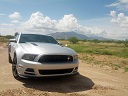
I tried to add a picture and I couldn't even do that. But on 12/27 (page 3 of this thread)I ordered a GT/CS Ingot Silver, A.T.
Update:
Finally got the picture uploaded. Thanks for all of the help
I tried to add a picture and I couldn't even do that. But on 12/27 (page 3 of this thread)I ordered a GT/CS Ingot Silver, A.T.
Update:
Finally got the picture uploaded. Thanks for all of the help
Last edited by Newchamp; Feb 8, 2013 at 04:30 PM.
NOT CURRENTLY ACTIVE ON THIS SITE! DO NOT USE PM FEATURE!
Joined: October 25, 2010
Posts: 5,279
Likes: 16
From: Dearborn, MI
Deysha
Cobra Member
Joined: January 4, 2013
Posts: 1,419
Likes: 119
From: Frisco, TX
Your picture must be quite small. Use something like Microsoft Office Picture Manager to resize it so that it is 128 pixels in the long dimension and save that size as a copy on your desktop.
On one of the forum pages about a third of the way down you will see a dark blue menu bar. The left most entry is User CP - click on that. Along the left hand side of the screen you will see Edit Avatar - click on that. Select the radio button Use Custom Avatar and then click on Browse. Navigate to your desktop and click on your saved small file, then click Open. Now click on Save Changes. Your small file will be uploaded as your Avatar.
Just below Edit Avatar you will see Edit Signature. Click on that and then enter the details of the car you ordered in the box that comes up and click on Save Signature.
Your avatar will show up in all your posts, including older ones. Your signature will only show up in new posts after you have created and saved it.
Hope this helps.
On one of the forum pages about a third of the way down you will see a dark blue menu bar. The left most entry is User CP - click on that. Along the left hand side of the screen you will see Edit Avatar - click on that. Select the radio button Use Custom Avatar and then click on Browse. Navigate to your desktop and click on your saved small file, then click Open. Now click on Save Changes. Your small file will be uploaded as your Avatar.
Just below Edit Avatar you will see Edit Signature. Click on that and then enter the details of the car you ordered in the box that comes up and click on Save Signature.
Your avatar will show up in all your posts, including older ones. Your signature will only show up in new posts after you have created and saved it.
Hope this helps.
Mach 1 Member
Joined: October 6, 2012
Posts: 560
Likes: 1
From: Pittsburgh, PA
Congrats on your order! This waiting stuff is tough!
V6 Member
Joined: December 2, 2012
Posts: 58
Likes: 0
From: Dallas

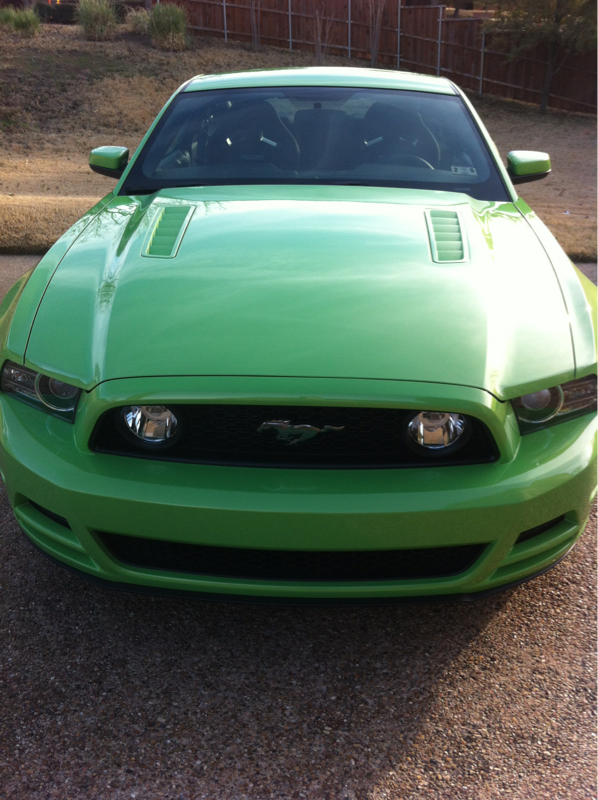

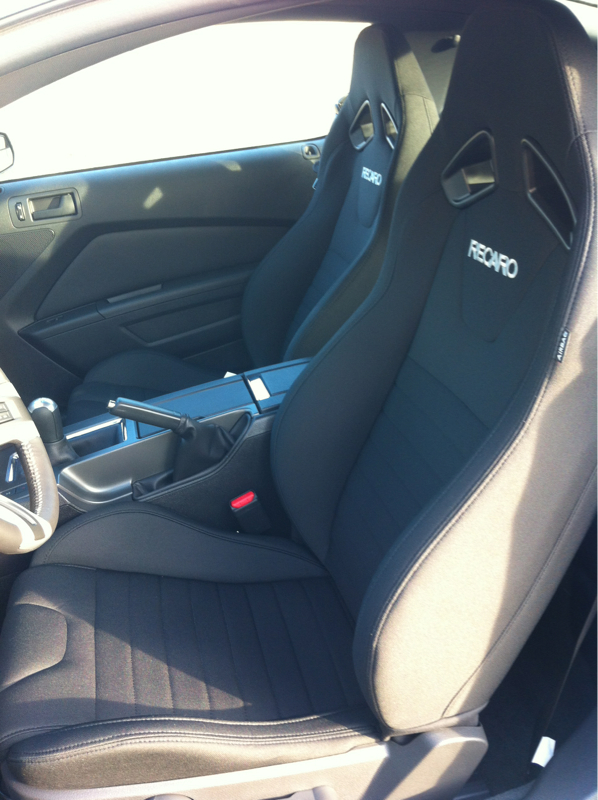

Member
Joined: January 13, 2013
Posts: 45
Likes: 0
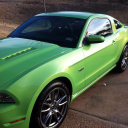
Hi Gangreen beautiful pics I wished I could order that type of hood but I did think it was posible to order on my v6 but your really look to kill enjoy it man I'm still waiting for my I 'll list some pics as soon as I get love your Recaros but the wife could see me ordering those ...you what I mean....VS

 2014 grabber blue GT Premium.
Mach 1 Member
Joined: June 10, 2012
Posts: 748
Likes: 5
From: Southern Oregon
