


Adding the OEM nav



V6 Member
Joined: July 1, 2013
Posts: 80
Likes: 1
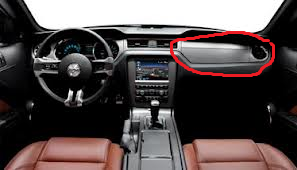
Thanks zero for the help. Also with the steering wheel is there any way to avoid removing it. It seems difficult. Especially Muskoka said to be careful with rotating the wheel without the bolt screwed in or something and if I do have how do I removed that plastic that surrounds the base of the steering wheel and where you put your key to turn the car on.

Mach 1 Member

Joined: March 1, 2007
Posts: 669
Likes: 5
From: Kansas City
Thanks zero for the help. Also with the steering wheel is there any way to avoid removing it. It seems difficult. Especially Muskoka said to be careful with rotating the wheel without the bolt screwed in or something and if I do have how do I removed that plastic that surrounds the base of the steering wheel and where you put your key to turn the car on.
To remove the column, there are 4 bolts holding it to the dash, and 1 on the shaft for removal.
-Matt
V6 Member
Joined: July 1, 2013
Posts: 80
Likes: 1
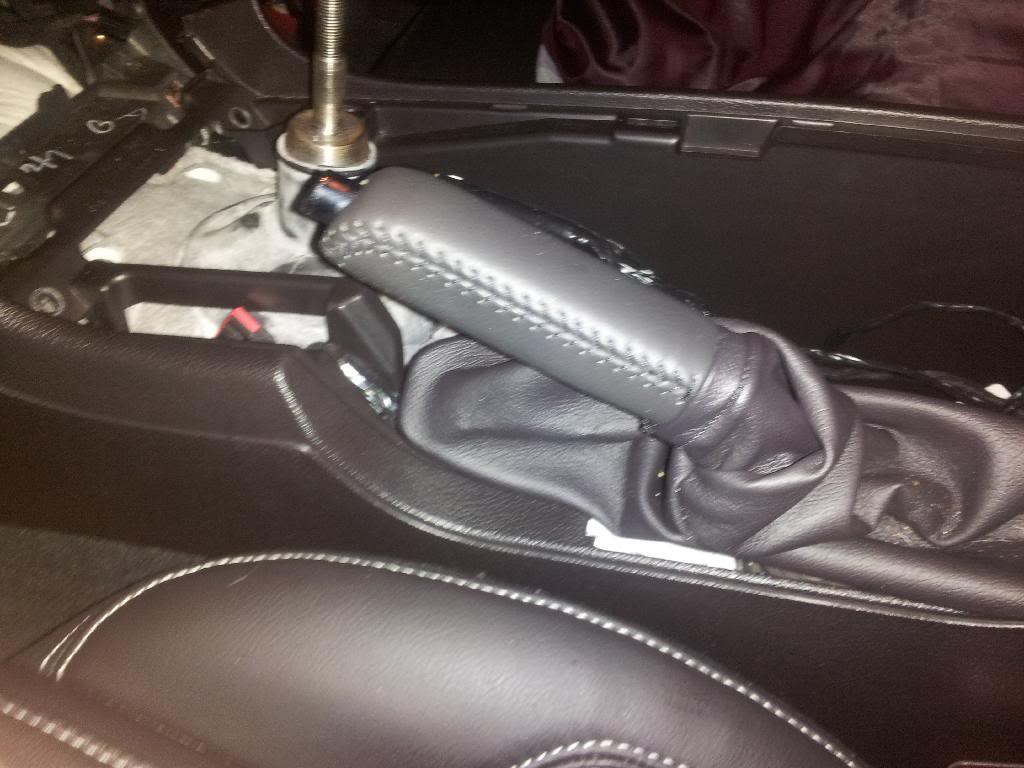
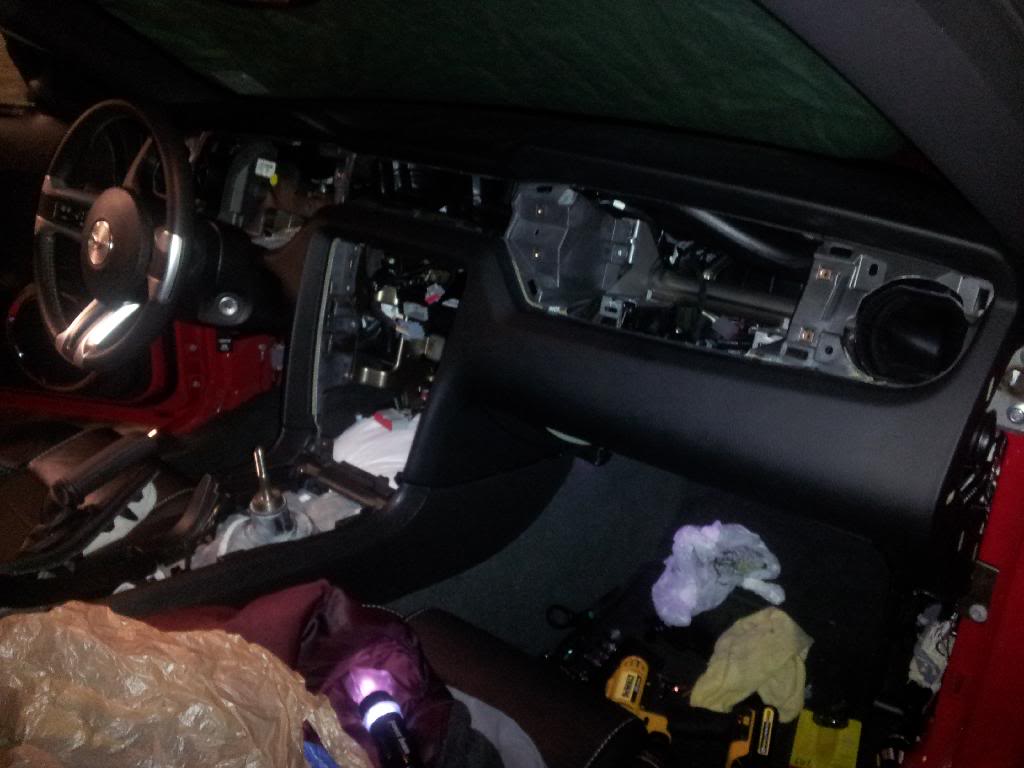
Thanks Zero for the advice at this stage I'am here pics below. How do I remove the ebrake leather handle. I'm trying to remove the rest of the center console but this is holding me back. Other that I just need to remove tge wheel and that it I think. I don' see any more gold screws that are holding the dash in that I know about. But the dash still doesn't feel loose. Does the entire dash slide right of?
Mach 1 Member
Joined: March 1, 2007
Posts: 669
Likes: 5
From: Kansas City
The leather part (grip) does not come off, the boot slips off around it. Lift up the console and pull the boot off backwards (Like taking off a sock starting at the highest point)
The console is attached to the frame of the car on both the driver and pass side by a few large bolts. The dash is attached to a big round bar that goes across the car, that round bar is what attaches to the car and will come out as one big piece.
I hope that makes sense.
-Matt
The console is attached to the frame of the car on both the driver and pass side by a few large bolts. The dash is attached to a big round bar that goes across the car, that round bar is what attaches to the car and will come out as one big piece.
I hope that makes sense.
-Matt

 . I will get to work on that Monday. Thanks dude

Member
Joined: December 4, 2013
Posts: 28
Likes: 2
http://www.ebay.com/itm/2011-2012-Ford-Mustang-Shelby-GT500-OEM-FACTORY-SERVICE-REPAIR-MANUAL-WIRING-/321329547531?_trksid=p2054897.l4276Hi
I found this very helpful in the dismantling and reassembly. I realize that it is for 2011 and 2012 however I suspect that there are not that many changes.
Well worth the $8.00
Rob
I found this very helpful in the dismantling and reassembly. I realize that it is for 2011 and 2012 however I suspect that there are not that many changes.
Well worth the $8.00
Rob
Thread Starter
Legacy TMS Member
Joined: November 7, 2006
Posts: 2,792
Likes: 58
From: Alberta
Parts are inbound as we speak. Cost me about 300 for both complete mirrors. I also bought the right steering wheel switch. I need to get new connectors and do my own wiring. Taking off those rubber seals around the wires going into the door will be fine, but putting them back on won't be.
GTR Member
Joined: September 28, 2009
Posts: 6,284
Likes: 1
car-part.com is also good, but you have to keep hitting it until you find what you need.

Mach 1 Member
Joined: March 1, 2007
Posts: 669
Likes: 5
From: Kansas City
Member
Joined: December 4, 2013
Posts: 28
Likes: 2
Hi
You do not have to remove the steering wheel.
The best option is to remove the shaft bolt as well as the 4 bolts holding the steering column in place.
Again make sure not to rotate the wheels or the steering wheel.
Rob
You do not have to remove the steering wheel.
The best option is to remove the shaft bolt as well as the 4 bolts holding the steering column in place.
Again make sure not to rotate the wheels or the steering wheel.
Rob
V6 Member
Joined: July 1, 2013
Posts: 80
Likes: 1
Hey Zero I meant the steering wheel sorry. Thanks Muskoka for the advice. When you say steering column. You mean the plastic part surrounding it. Basically where the ignition switch ism I only found 2 bolts and can't find the other 2 bolts.

Tms Mustang Member ------ The Customizer!
Joined: February 5, 2014
Posts: 859
Likes: 146
From: Canada
Wow what an ambitious project!
K I went through all 14 pages, this may be a silly question... Will this mod work in a 07 Pony pgk Mustang which has the shaker 500 system or do I have to install the older Nav unit heads?
K I went through all 14 pages, this may be a silly question... Will this mod work in a 07 Pony pgk Mustang which has the shaker 500 system or do I have to install the older Nav unit heads?