


Adding a 2nd USB port and a hard drive to Sync


Thread Starter
Tasca Super Boss 429 Member

Joined: December 11, 2007
Posts: 7,575
Likes: 11
From: Uxbridge, MA
Adding a 2nd USB port and a hard drive to Sync
One thing I was disappointed with my 2013 Mustang is that there was only one available USB port with Sync. I wanted to be able to hook up my Zune (mp3 player) and be able to use a USB charger for my cell phone. Since there was only port, I could only do one or the other unless I bought a cigarette lighter adapter for it.
So I went out and bought a cheap USB hub to add more ports, but when I hooked it up, Sync told me it doesn't support hubs. Great.
So after some research I found out there IS a second USB port hidden away!
I had also heard of people hooking up a portable USB drive to Sync too so I looked into that too.
This port is on the behind the dash and above the glove box. So what you need to do is drop the glove box.
Start by opening it up and then you need to squeeze the sides in so that the rubber stoppers can get past the sides and drop down completely.
Attachment 114621
Once that is down, look up behind the dash and you should see a box with a couple of cables coming out of it, a white label with info, and FoMoCo molded into the plastic. This is your Sync Module.
Attachment 114622
Where the FoMoCo is molded on, you will see a cable sticking out. Right next to that is an empty connector.
This connector accepts a male 5 pin mini USB. What you would need is a cable with a 5 pin mini to a USB-A.
Attachment 114623
Cable can be purchased here.
http://www.monoprice.com/products/pr...seq=1&format=2
Now, since the USB is male, and your MP3 player cable is male, you need a gender changer to turn that male plug into a female.
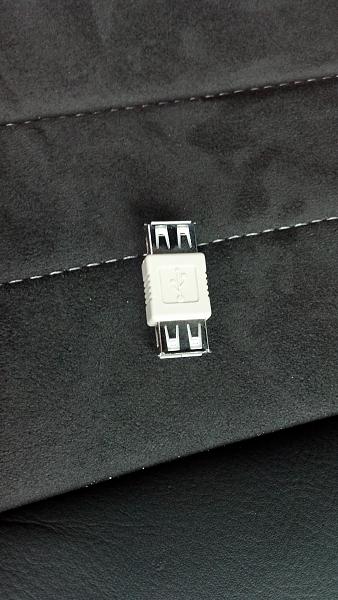
That can be purchased here...
http://www.monoprice.com/products/pr...seq=1&format=2
Once you have your cable and gender changer, just plug mini USB end into the empty connector of of the Sync Module.
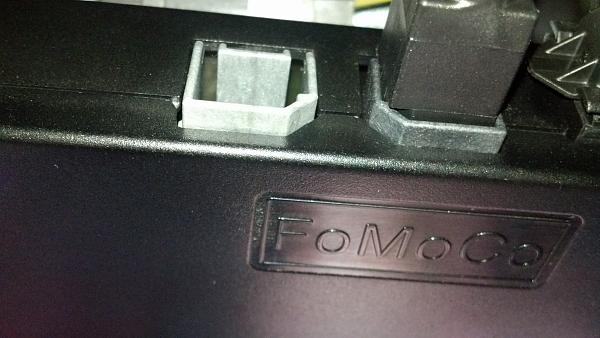
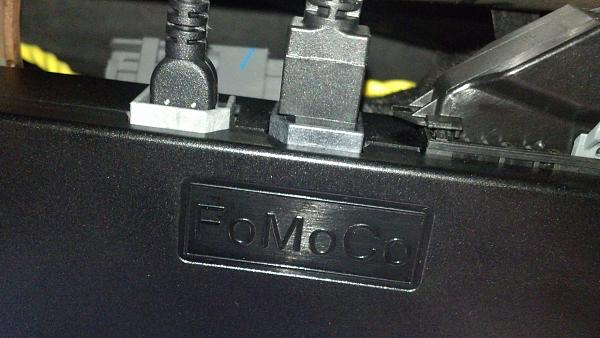
From here you can close up your glove box and you now have a USB cable hooked up.
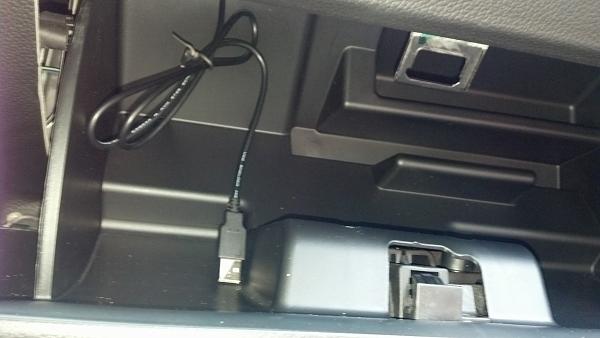
Next step is to plug in the gender changer...
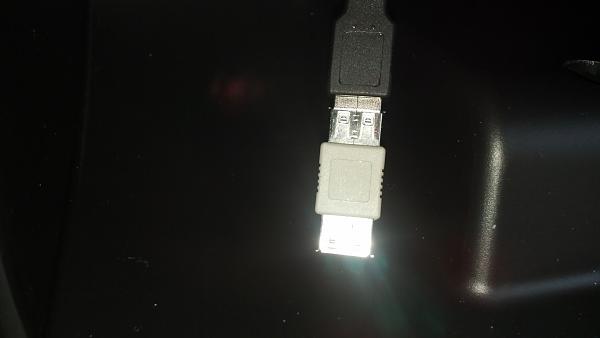
And that is all it takes to add a second USB port into a 2013 Mustang. I'm sure this will work on previous models with Sync, but I have no access to them to verify.
All you need to do is hook up your MP3 player, set Sync to USB2 and away you go.
Not all vehicles can access USB2 directly. My navigation radio lets me access it by pressing the screen. You may have to press your voice button and say "USB2" for access.
So I went out and bought a cheap USB hub to add more ports, but when I hooked it up, Sync told me it doesn't support hubs. Great.
So after some research I found out there IS a second USB port hidden away!
I had also heard of people hooking up a portable USB drive to Sync too so I looked into that too.
This port is on the behind the dash and above the glove box. So what you need to do is drop the glove box.
Start by opening it up and then you need to squeeze the sides in so that the rubber stoppers can get past the sides and drop down completely.
Attachment 114621
Once that is down, look up behind the dash and you should see a box with a couple of cables coming out of it, a white label with info, and FoMoCo molded into the plastic. This is your Sync Module.
Attachment 114622
Where the FoMoCo is molded on, you will see a cable sticking out. Right next to that is an empty connector.
This connector accepts a male 5 pin mini USB. What you would need is a cable with a 5 pin mini to a USB-A.
Attachment 114623
Cable can be purchased here.
http://www.monoprice.com/products/pr...seq=1&format=2
Now, since the USB is male, and your MP3 player cable is male, you need a gender changer to turn that male plug into a female.
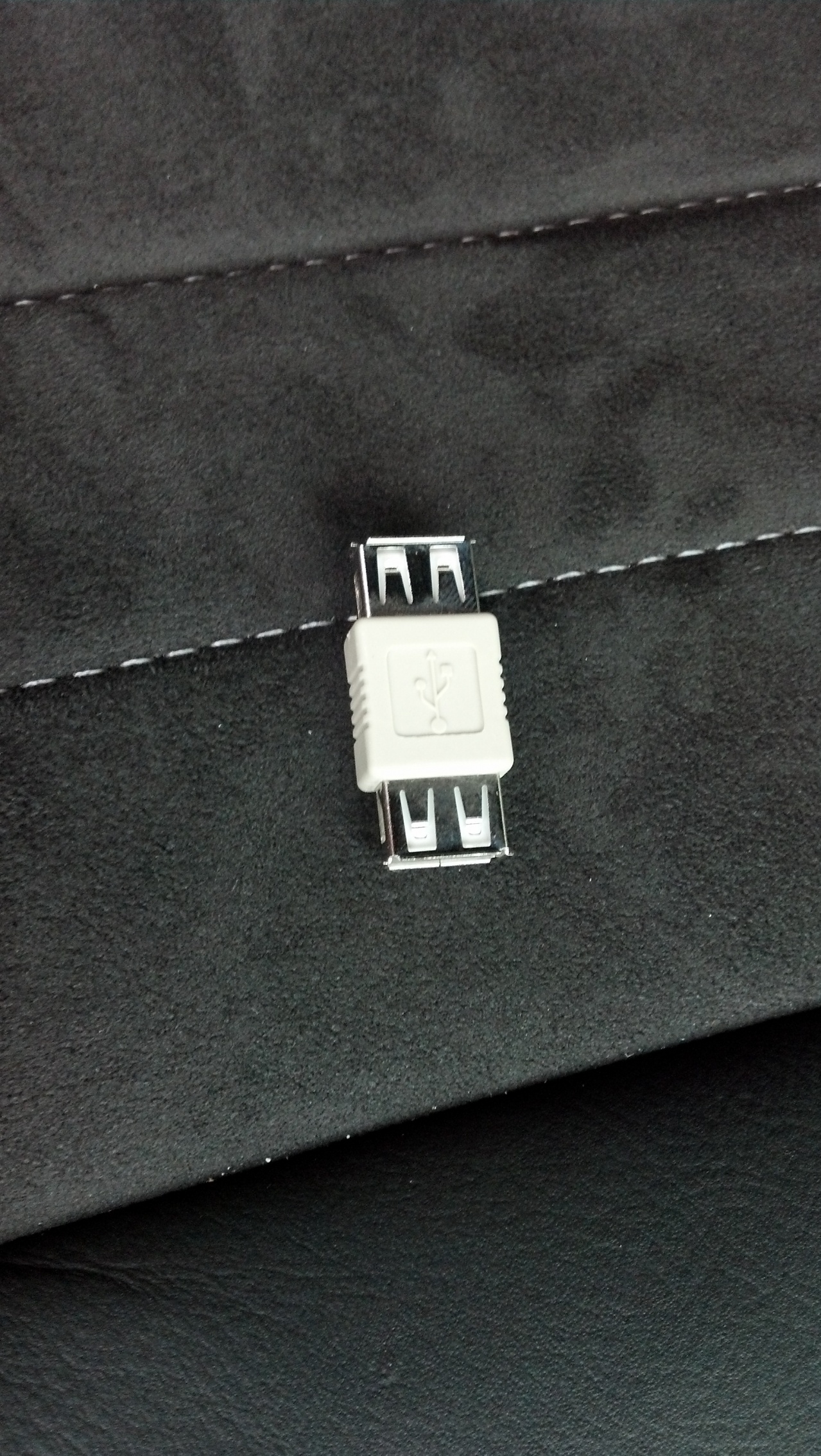
That can be purchased here...
http://www.monoprice.com/products/pr...seq=1&format=2
Once you have your cable and gender changer, just plug mini USB end into the empty connector of of the Sync Module.
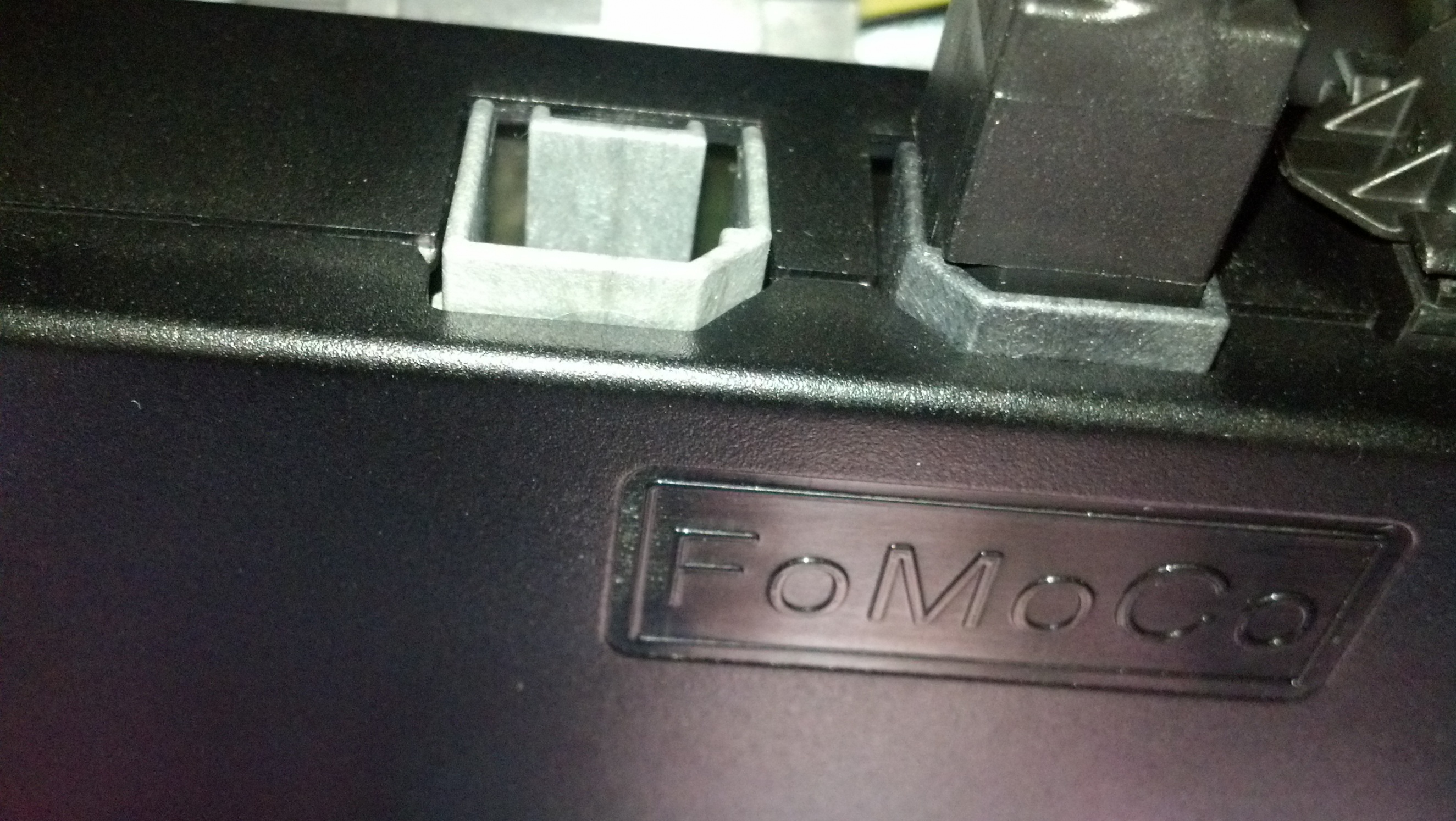
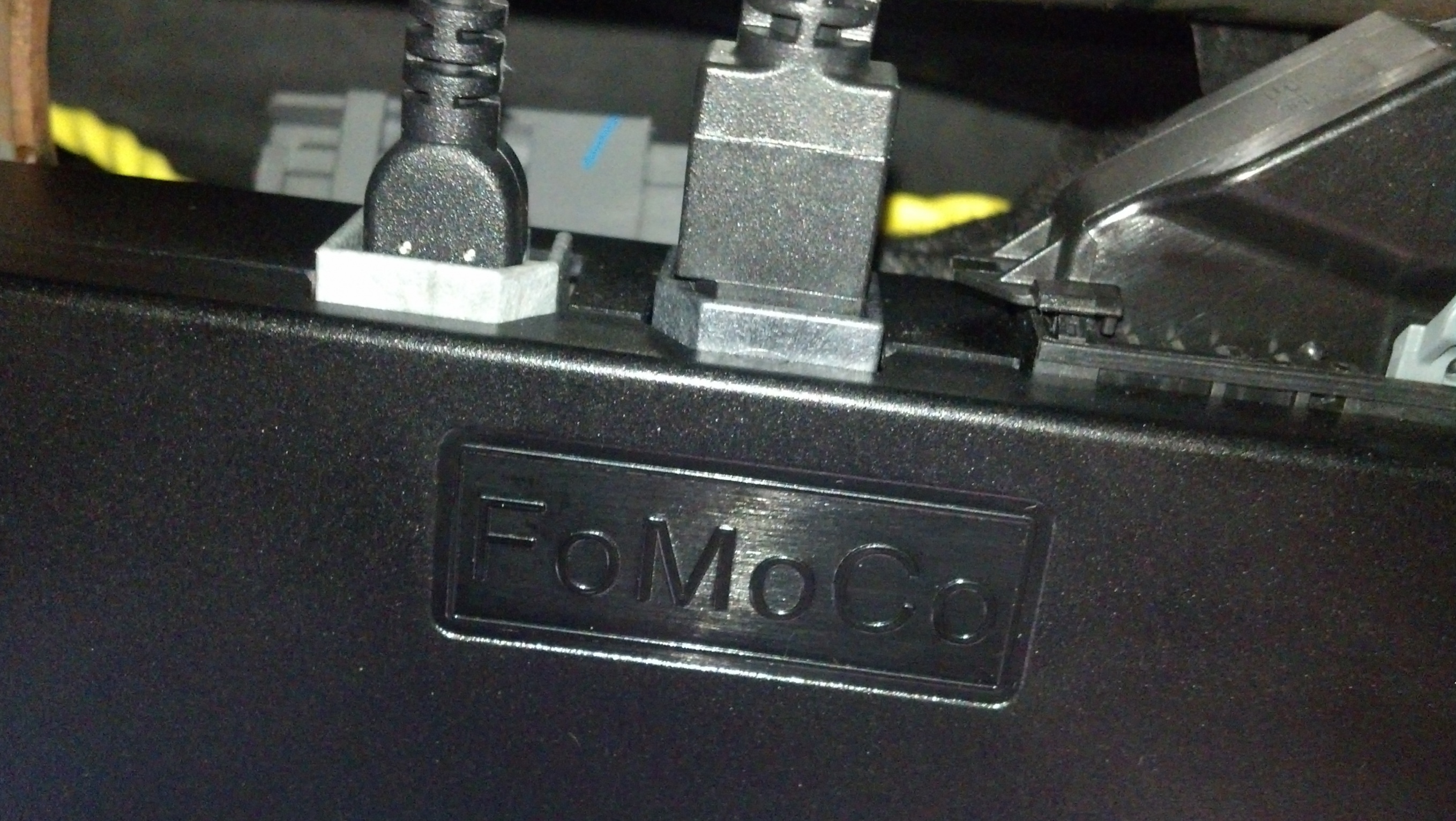
From here you can close up your glove box and you now have a USB cable hooked up.
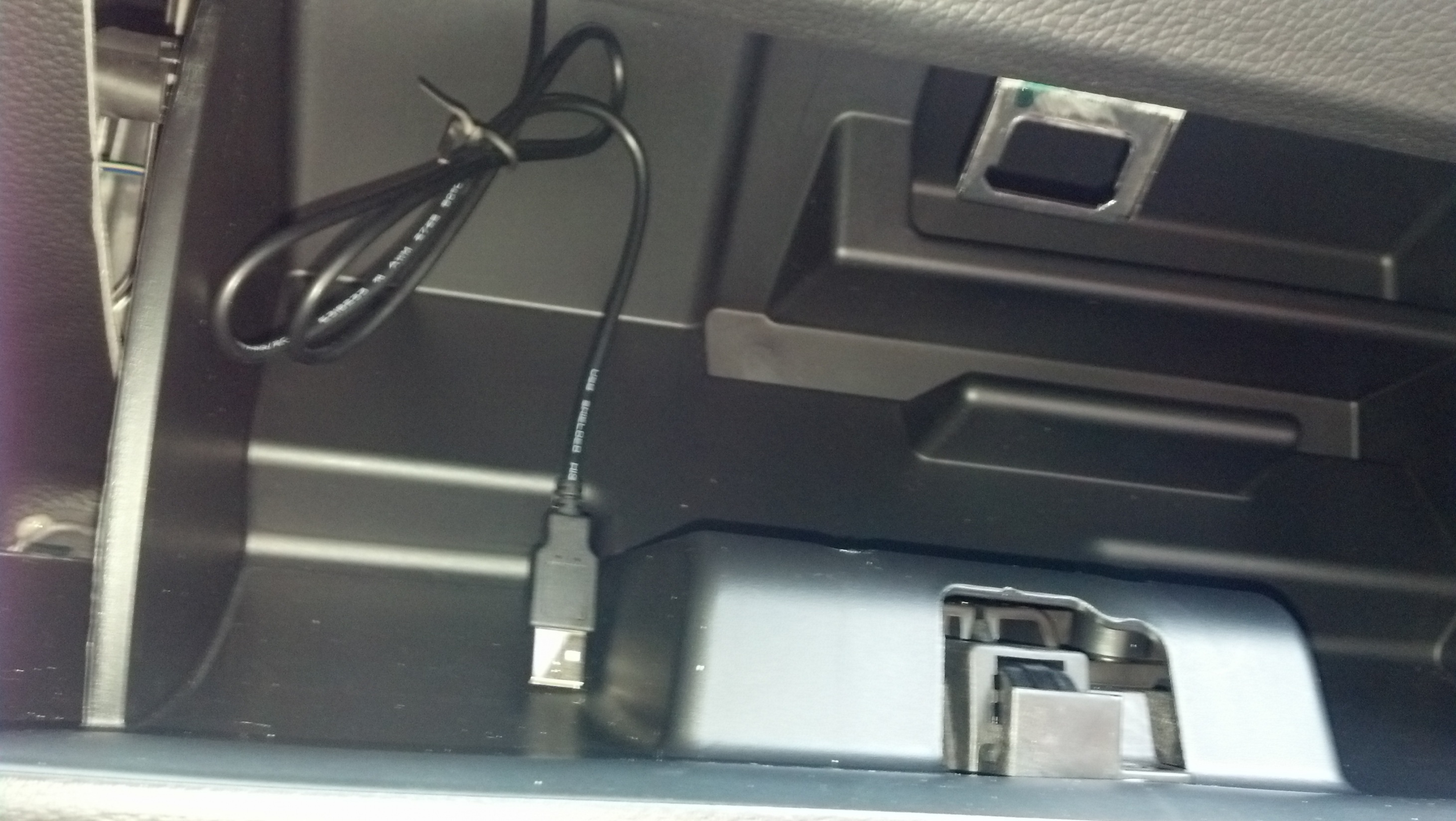
Next step is to plug in the gender changer...
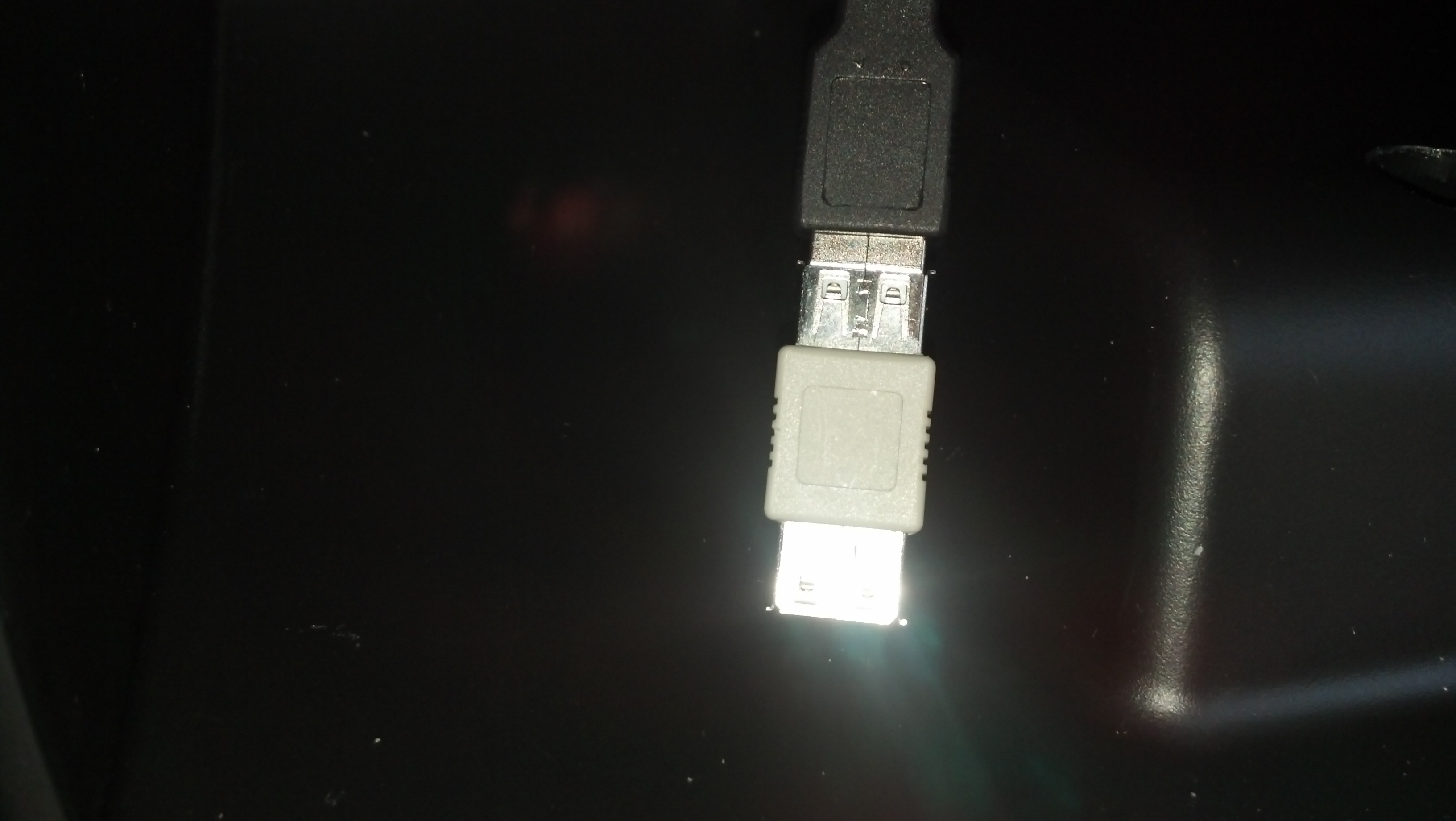
And that is all it takes to add a second USB port into a 2013 Mustang. I'm sure this will work on previous models with Sync, but I have no access to them to verify.
All you need to do is hook up your MP3 player, set Sync to USB2 and away you go.
Not all vehicles can access USB2 directly. My navigation radio lets me access it by pressing the screen. You may have to press your voice button and say "USB2" for access.
Legacy TMS Member
Joined: June 20, 2012
Posts: 401
Likes: 1
From: Central Coast California
Here is another option for the cable.
USB 2.0 A Male to Mini-B 5 pin Female
USB 2.0 A Male to Mini-B 5 pin Female



Super Boss Lawman Member
Joined: February 5, 2015
Posts: 4,247
Likes: 1,155
From: Yukon, OK
I like the idea of running the cable out from the glove box area to my phone to play music and run the Waze app. The touchscreen controller for my ProCharger i-1 is already routed that way. It should make things neater in the cockpit for me.
Last edited by SpectreH; Aug 20, 2015 at 07:08 PM.


V6 Member
Joined: August 13, 2015
Posts: 59
Likes: 0
From: Ontario, Canada

Bullitt Member
Joined: August 20, 2013
Posts: 290
Likes: 6
From: So Cal


Super Boss Lawman Member
Joined: February 5, 2015
Posts: 4,247
Likes: 1,155
From: Yukon, OK
Finally got the cable and adapter in. Took about 3 minutes to empty glove box, drop it down, plug in cable, and pop the glovebox back in place. USB2 works just like USB1 from what I can tell. Now I can route the cable a better way than out of the center console.
Gt 5.0 Tms Member
Joined: March 25, 2014
Posts: 64
Likes: 12
From: Whitehall, Pennsylvania
Does anyone know if the base model 2013 GT has the usb cable hidden in the center console? And if so, can this be hooked up to the base model stereo? Would be nice to use the usb instead of the dumb audio jack.
Last edited by Illi73; Mar 30, 2016 at 11:30 AM.

Member
Joined: December 4, 2011
Posts: 14
Likes: 0
I have had this hooked up and working in USB2 for a few months, however now USB2 hangs and will not continue with any music. The USB thumb drive will work if I go back to USB1, but none of my thumb drives are now recognized in USB2. Any ideas anyone?
Mach 1 Member
Joined: July 27, 2010
Posts: 670
Likes: 10
From: Jacksonville, FL
I've had USB2 running for almost four years now (since about when this thread was started) and never had a problem other than the index getting full occasionally. I suspect your cable may not be securely inserted or possibly has been pinched. Also, those gender benders are not known for their reliability - you're much better off to get a cable like the one linked in the second post.
Last edited by WhiteBird00; Jun 27, 2016 at 07:19 AM.
Member
Joined: December 4, 2011
Posts: 14
Likes: 0
Yes the cable from post 2 is the one i got, in fact after I began to have this problem I ordered another from Amazon and after it worked for a short time the problem occurred again, so I not really thinking the cable is bad. I'm leaning toward Sync getting mixed up for some reason, but I don't know what to do about it.

Thread
Thread Starter
Forum
Replies
Last Post
Mustang259
'10-14 Interior and Audio
74
Mar 25, 2016 04:27 PM