


Nav Screen - how do you select single image?

Thread Starter
GT Member

Joined: December 3, 2011
Posts: 165
Likes: 0
From: Orlando
Nav Screen - how do you select single image?
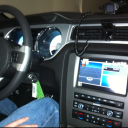
On my 2012 V6 Conveetible, I have uploaded some images and currently my Nav screen will show two side by side, a split screen. if I use the arrows at the bottom of each corner, it will move through a series of screen options for that side, right or left. But I can't figure out out to select just having a single image on the whole screen, even though the manual states that you can. The manual doesn't state how. Does anyone know?

Thread Starter
GT Member
Joined: December 3, 2011
Posts: 165
Likes: 0
From: Orlando
I thought when I first bought the car a few weeks ago, the Ford logo came up as the sole image. And it is still in the image bank along with the ones I have added. But now that I have made additions, I can't seem to get the single image screeen anymore. A least I'm not the only one, so it's obviously not a problem with my ca, and maybe it can't be done. But the manual states otherwise.

Cobra Member
Joined: January 8, 2011
Posts: 1,237
Likes: 1
From: Chicago
What happens if you have the image on one half of the screen, and then tap the image.
When you tap the map, climate, or audio, it brings you to the appropriate screen. What about tapping the photo?
EDIT: just went outside and tried it. It brings you to the photo picker. No idea how to show only a photo
When you tap the map, climate, or audio, it brings you to the appropriate screen. What about tapping the photo?
EDIT: just went outside and tried it. It brings you to the photo picker. No idea how to show only a photo
Last edited by LEwis26; Dec 18, 2011 at 11:46 AM.
Mach 1 Member
Joined: February 22, 2011
Posts: 509
Likes: 0
From: Akron, Ohio
Originally Posted by LEwis26
What happens if you have the image on one half of the screen, and then tap the image.
When you tap the map, climate, or audio, it brings you to the appropriate screen. What about tapping the photo?
When you tap the map, climate, or audio, it brings you to the appropriate screen. What about tapping the photo?
I had the factory ford logo for a while and don't recall ever seeing it full screen.
Cobra Member
Joined: January 8, 2011
Posts: 1,237
Likes: 1
From: Chicago
Originally Posted by 99mstng
Can't tap anywhere other than bottom corner to select different displays ... Taping the pic doesn't do anything.
I had the factory ford logo for a while and don't recall ever seeing it full screen.
I just updated to the latest sync software so maybe that's why I got that menu.
Cobra Member
Joined: January 8, 2011
Posts: 1,237
Likes: 1
From: Chicago
Originally Posted by dogiebitt
Maybe it was showing it large for ford logo because that was the only photo on there. Try moving all but 1 image off of it and see what happens.

Ford In-Vehicle Technology Rep
Joined: August 11, 2011
Posts: 449
Likes: 3
On my 2012 V6 Conveetible, I have uploaded some images and currently my Nav screen will show two side by side, a split screen. if I use the arrows at the bottom of each corner, it will move through a series of screen options for that side, right or left. But I can't figure out out to select just having a single image on the whole screen, even though the manual states that you can. The manual doesn't state how. Does anyone know?
The left side of the screen will display an uploaded photo or the map screen. The right side can also display the uploaded photo. The upper right panel will only display the current audio settings. The lower right panel displays the vehicle’s climate settings (if equipped).
I hope this helps. Let me know if you have any questions.
Jaclyn

Bullitt Member
Joined: November 18, 2011
Posts: 301
Likes: 0
From: Daytona Beach, FL
Hey, everyone!
The left side of the screen will display an uploaded photo or the map screen. The right side can also display the uploaded photo. The upper right panel will only display the current audio settings. The lower right panel displays the vehicle’s climate settings (if equipped).
I hope this helps. Let me know if you have any questions.
Jaclyn
The left side of the screen will display an uploaded photo or the map screen. The right side can also display the uploaded photo. The upper right panel will only display the current audio settings. The lower right panel displays the vehicle’s climate settings (if equipped).
I hope this helps. Let me know if you have any questions.
Jaclyn
Ford In-Vehicle Technology Rep
Joined: August 11, 2011
Posts: 449
Likes: 3
If anyone has any other questions, give me a shout.
Jaclyn
Cobra Member
Joined: October 11, 2009
Posts: 1,126
Likes: 4
On my 2012 V6 Conveetible, I have uploaded some images and currently my Nav screen will show two side by side, a split screen. if I use the arrows at the bottom of each corner, it will move through a series of screen options for that side, right or left. But I can't figure out out to select just having a single image on the whole screen, even though the manual states that you can. The manual doesn't state how. Does anyone know?
Cobra Member
Joined: February 13, 2011
Posts: 1,399
Likes: 0
From: Southern NH
The logo screen you see on the nav display reminds me of a bios logo type splash screen you get when you boot up a PC. Unless the manufacturer provides access to this content, which is doubtful, we will have to wait for a future release for nav.
If enough users desire this capability / feature, then Ford may provide it. Enhancement requests are common in the software industry, and all it takes is enough interest from the paying consumer to make it happen.
If enough users desire this capability / feature, then Ford may provide it. Enhancement requests are common in the software industry, and all it takes is enough interest from the paying consumer to make it happen.
Ford In-Vehicle Technology Rep
Joined: August 11, 2011
Posts: 449
Likes: 3
Not a problem, that's what I'm here for. 
We would love to hear any ideas or suggestions you have! Here's a link where you can submit them:
http://social.ford.com/
Jaclyn
http://social.ford.com/
Jaclyn

Thread
Thread Starter
Forum
Replies
Last Post