

View Poll Results: Did you know that your mustang has a digital Speedometer?
Yes I did..old news


16
36.36%
No I did not, and that is AWESOME.


28
63.64%
Voters: 44. You may not vote on this poll
Engineering mode with digital speedo


GT Member

Joined: June 21, 2012
Posts: 183
Likes: 0
From: Toronto area
I wish Ford made this an option from the main menus, hard to figure out why they didn't (legal??). I did know about this, but it's kind of a nuisance to use. In general, I wish the central display would always stay in the exact same mode it was in when you last turned the ignition off, kinda strange that it doesn't IMO.

Thread Starter
Bullitt Member
Joined: August 5, 2007
Posts: 235
Likes: 0
From: KC MO
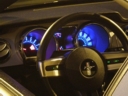
For the 13's and 14's..hold down the "ok" button when entering the car...put key in ignition and turn to "on" position...center computer will say engineering mode, release ok button. Start the car, and you have access to all of the options. Push ok to toggle between all of them..there are tons!!!
For 11's and 12's do the same process but instead you press the reset button instead of the ok button
For 11's and 12's do the same process but instead you press the reset button instead of the ok button
Bullitt Member
Joined: May 30, 2012
Posts: 328
Likes: 0
From: Afghanistan
For the 13's and 14's..hold down the "ok" button when entering the car...put key in ignition and turn to "on" position...center computer will say engineering mode, release ok button. Start the car, and you have access to all of the options. Push ok to toggle between all of them..there are tons!!!
For 11's and 12's do the same process but instead you press the reset button instead of the ok button
For 11's and 12's do the same process but instead you press the reset button instead of the ok button
Cobra Member
Joined: August 27, 2007
Posts: 1,497
Likes: 26
From: Southern Al
This will work on the 2010 to 2012.
Hold reset when you start it up. When it says engineering test mode you release reset. It will do a guage test and your speedo and rpm needles will go wonky. Then you use input to cycle through until you get to the digital speedo.
Hold reset when you start it up. When it says engineering test mode you release reset. It will do a guage test and your speedo and rpm needles will go wonky. Then you use input to cycle through until you get to the digital speedo.
Mach 1 Member
Joined: August 3, 2012
Posts: 609
Likes: 0
I wish Ford made this an option from the main menus, hard to figure out why they didn't (legal??). I did know about this, but it's kind of a nuisance to use. In general, I wish the central display would always stay in the exact same mode it was in when you last turned the ignition off, kinda strange that it doesn't IMO.
Mach 1 Member
Joined: February 18, 2004
Posts: 660
Likes: 0
From: Houston, Texas
For the 13's and 14's..hold down the "ok" button when entering the car...put key in ignition and turn to "on" position...center computer will say engineering mode, release ok button. Start the car, and you have access to all of the options. Push ok to toggle between all of them..there are tons!!!
For 11's and 12's do the same process but instead you press the reset button instead of the ok button
For 11's and 12's do the same process but instead you press the reset button instead of the ok button

Mach 1 Member
Joined: August 21, 2011
Posts: 668
Likes: 0
From: Morgantown, West Virginia
For the 13's and 14's..hold down the "ok" button when entering the car...put key in ignition and turn to "on" position...center computer will say engineering mode, release ok button. Start the car, and you have access to all of the options. Push ok to toggle between all of them..there are tons!!!
For 11's and 12's do the same process but instead you press the reset button instead of the ok button
For 11's and 12's do the same process but instead you press the reset button instead of the ok button

Mach 1 Member
Joined: June 10, 2012
Posts: 748
Likes: 5
From: Southern Oregon
I knew about this - there was a thread here back in July I believe where someone found it. I use the GPS speed-o on my 9500, as you have to set to this mode every time you enter the car to have the MPH show up, plus the other options are not available like track aps, unless you exit it, then you have to shut off the car and start over again.

GT Member
Joined: June 21, 2012
Posts: 183
Likes: 0
From: Toronto area
Yup, display of cruise control speed is another thing I couldn't figger, considering all the "infrastructure" is already there.
Re memory mode: I have that enabled, but it still requires several button pushes to get back to the same gauge I was displaying when I turned off the ignition. Minor I know, obviously I can live with it. Bottom line is the capabilities of the existing system are not fully utilized, and it's unnecessarily "awkward" in some operations IMO. ['13 V6]
Since I'm whinging: let's also put more space to the right of the "right arrow" in the "OK cluster". I can barely get a finger in there, and I'm small. Forget a thumb, which that button naturally wants to be pushed by if you're holding the wheel.
Re memory mode: I have that enabled, but it still requires several button pushes to get back to the same gauge I was displaying when I turned off the ignition. Minor I know, obviously I can live with it. Bottom line is the capabilities of the existing system are not fully utilized, and it's unnecessarily "awkward" in some operations IMO. ['13 V6]
Since I'm whinging: let's also put more space to the right of the "right arrow" in the "OK cluster". I can barely get a finger in there, and I'm small. Forget a thumb, which that button naturally wants to be pushed by if you're holding the wheel.
Last edited by cfraser; Feb 20, 2013 at 04:09 PM.
Bullitt Member
Joined: January 16, 2013
Posts: 321
Likes: 0
From: Missouri
Will this work
I started a thread about this yestereday...but it was moved to the modifications section. This is not a modification. All of our cars have an engineering mode apparently. Did you guys know about this? It also worked on my friends 2011 Fusion. I guess all Fords have this option. It has a digital Tach, digital speed-o in mph and kph...and tons of other features. Did you know about this? I have had my 13 for about a year and just now found this. Very cool feature.
