


problem with GPS navigation, suggestions?


Thread Starter
Legacy TMS Member

Joined: November 7, 2006
Posts: 2,792
Likes: 57
From: Alberta
problem with GPS navigation, suggestions?
I posted this in the warranty section, but thought this was a better spot to post this.
I am off warranty now, by the way.
Having some problems with my navigation.
The arrow on the map on the nav has been acting up on me.
It will sometimes spin around in circles in the direction of travel, even though the car is going straight. Or it will show my car going backwards down a road. Or it just has problems figuring out what road I am on. Or sometimes it is doing all of the above.
Today it would show the arrow pointed properly, but would move the arrow in the opposite direction I was actually travelling. It would update me to my real position every couple of seconds, but the arrow would still travel on the map in the opposite direction again - it would just do this over and over.
Sometimes the nav works fine, other times is acts up. After running a diagnostic, all that comes up is U0401 on the IPC. IDS says invalid serial data received. Diagnostic protocol 14229 ( which I did, but still can't identify what's wrong.
Navigation worked just fine for 2 years, but now not so much.
Everything else is fine on the nav.
Suggestions?
Tech had this to say:
I am off warranty now, by the way.
Having some problems with my navigation.
The arrow on the map on the nav has been acting up on me.
It will sometimes spin around in circles in the direction of travel, even though the car is going straight. Or it will show my car going backwards down a road. Or it just has problems figuring out what road I am on. Or sometimes it is doing all of the above.
Today it would show the arrow pointed properly, but would move the arrow in the opposite direction I was actually travelling. It would update me to my real position every couple of seconds, but the arrow would still travel on the map in the opposite direction again - it would just do this over and over.
Sometimes the nav works fine, other times is acts up. After running a diagnostic, all that comes up is U0401 on the IPC. IDS says invalid serial data received. Diagnostic protocol 14229 ( which I did, but still can't identify what's wrong.
Navigation worked just fine for 2 years, but now not so much.
Everything else is fine on the nav.
Suggestions?
Tech had this to say:
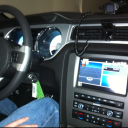
Sorry for the delay getting back to you; as usual, I’m just managing to keep my nose above the water line. I’m not quite sure what the issue with your Nav might be. There are 2 separate systems involved. The first is the compass. In the original installation, the compass sensor is part of the rear-view mirror. The calibration described in the forum is for this system only. The Nav system can’t give you the direction you’re pointed unless you are moving because it has to calculate the difference between 2 or more GPS fixes. I checked for TSBs and found nothing applicable. The antenna for the system is the same one as for satellite radio. There is a splitter module inline between the cable coming from the GPS/Satellite antenna that plugs into 2 separate connectors on the back of the Nav head unit (a pink one and a yellow one). See the attached diagram. I have had issues with all 3 components (antenna, cable and splitter module) on different vehicles that cause issues like you’re describing. The problem is that the only way to diagnose this issue is swapping parts. I have some antennas and cables that I have used for testing (didn’t fix the problem on particular vehicles), but I think they are all truck parts and the connector genders may be wrong. I could try re-flashing the Nav unit, but it’s not likely that the software is at issue after 2 years of normal operation.
Thread Starter
Legacy TMS Member
Joined: November 7, 2006
Posts: 2,792
Likes: 57
From: Alberta
I will purchase the version 7 that just came out, but otherwise no.
I doubt that it will help, but at least I'll have the newest maps.
I'm thinking either it is the signal that the IPC can't decipher, or the compass or antannae are toast.
But what makes these go bad?
I doubt that it will help, but at least I'll have the newest maps.
I'm thinking either it is the signal that the IPC can't decipher, or the compass or antannae are toast.
But what makes these go bad?
Thread Starter
Legacy TMS Member
Joined: November 7, 2006
Posts: 2,792
Likes: 57
From: Alberta
I have looked and looked again.
And I will look one more time even!
Since the antennae is on the trunk, the wiring for it goes along the same route as the wiring for the speakers and amp that I put in. I also put in the rear camera that follows that route.
Now I have had my speakers cut out on me as well as my camera. I discovered that were I heat shrunk to join wires was coming undone in the heat. I redid the connecting points in heat shrink tubing, but will do it again with soldering when I have time. It all runs good now, so it shouldn't be interfering with the GPS antennae anymore ... ?
And I will look one more time even!
Since the antennae is on the trunk, the wiring for it goes along the same route as the wiring for the speakers and amp that I put in. I also put in the rear camera that follows that route.
Now I have had my speakers cut out on me as well as my camera. I discovered that were I heat shrunk to join wires was coming undone in the heat. I redid the connecting points in heat shrink tubing, but will do it again with soldering when I have time. It all runs good now, so it shouldn't be interfering with the GPS antennae anymore ... ?

GT Member
Joined: March 16, 2014
Posts: 116
Likes: 0
From: Iowa
My parents have a 2011 Explorer that does this, has from the time it was new.
Ford can't figure it out and refuses to replace the whole system. The antenna array was replaced, but it still does it - I know this probably doesn't help much, but maybe it can help narrow things down for you a bit better.
Have you reset the sync system?
Ford can't figure it out and refuses to replace the whole system. The antenna array was replaced, but it still does it - I know this probably doesn't help much, but maybe it can help narrow things down for you a bit better.
Have you reset the sync system?
GT Member
Joined: April 13, 2008
Posts: 139
Likes: 0
From: Bear Gap, PA
On my 2008 OEM system, the compass in the mirror has no connection to and nothing to do with the GPS navigation. There IS a compass internal to the NAV, and on mine I can pull up a sensor readout that shows that in addition to the satellite signal the GPS can do dead-reckoning by combining its internal inputs of the car speed, the magnetic direction the car is pointed in, and a lateral acceleration ("G" meter) sensor. That is how it continues to track progress when there is no satellite signal like in the city among buildings, parking garages, tunnels, etc. It sounds like your internal compass sensor is defective.
Thread Starter
Legacy TMS Member
Joined: November 7, 2006
Posts: 2,792
Likes: 57
From: Alberta
I have 2 sync modules. I think I will switch them out and see what happens. As I said, it is intermittent, so could be a bit before the problem comes back. Was working fine yesterday.
Beargap, If you are right about the compass, then that will suck for me. Maybe I can send the ACM in to someone to fix.
Beargap, If you are right about the compass, then that will suck for me. Maybe I can send the ACM in to someone to fix.
Thread Starter
Legacy TMS Member
Joined: November 7, 2006
Posts: 2,792
Likes: 57
From: Alberta
Here is a video my son took for me showing what the nav is doing:
https://onedrive.live.com/?cid=16209...85B0%21206&v=3
https://onedrive.live.com/?cid=16209...85B0%21206&v=3
Thread Starter
Legacy TMS Member
Joined: November 7, 2006
Posts: 2,792
Likes: 57
From: Alberta
A response from 4dtech:
Interesting issue!
Here is what I know:
The navigation unit you have does have its own internal compass
The navigation relies on its own compass and not an external compass
These units rely almost solely on dead reckoning for normal navigation and use the GPS to verify position occasionally (this is opposite how most other GPS systems work).
Had you not said anything about the U0401 code, my guess based on the information provided is that the compass internal to the radio is failing. I say this because the vehicle speed signal (the main signal used to advance the arrow) is provided over the can bus and is an absolute value (Does not provide direction information). I don't know if there is any correlation, but typically a U0401 is "Invalid data received from ECM/PCM". Although the navigation unit has no direct connection to the ECM/PCM, it does respond to data from that module by way of the ICM.
Short of having the ability to swap in another navigation unit or run your unit in another vehicle, I think you should investigate the U0401 code as it may be related, and could lead to larger vehicle issues.
If you think it is the navigation unit, depending on the part number of the navigation unit, we may have parts in stock to replace the nav board. Hope this helps!
Here is what I know:
The navigation unit you have does have its own internal compass
The navigation relies on its own compass and not an external compass
These units rely almost solely on dead reckoning for normal navigation and use the GPS to verify position occasionally (this is opposite how most other GPS systems work).
Had you not said anything about the U0401 code, my guess based on the information provided is that the compass internal to the radio is failing. I say this because the vehicle speed signal (the main signal used to advance the arrow) is provided over the can bus and is an absolute value (Does not provide direction information). I don't know if there is any correlation, but typically a U0401 is "Invalid data received from ECM/PCM". Although the navigation unit has no direct connection to the ECM/PCM, it does respond to data from that module by way of the ICM.
Short of having the ability to swap in another navigation unit or run your unit in another vehicle, I think you should investigate the U0401 code as it may be related, and could lead to larger vehicle issues.
If you think it is the navigation unit, depending on the part number of the navigation unit, we may have parts in stock to replace the nav board. Hope this helps!
Thread Starter
Legacy TMS Member
Joined: November 7, 2006
Posts: 2,792
Likes: 57
From: Alberta
Also this:
We can rebuild your unit, I'm just not sure if that is your issue. If the nav problem happened at the same time you reflashed the BCM, then it may be related. My guess is the U0401 Code is a result of having the "wrong" as-built data in the BCM. I would hate to have us rebuild your nav unit and it not solve your issue, but I don't know of another way to test it. Does the arrow flip around when you are stationary?
Shelby GT350 Member
Joined: February 26, 2012
Posts: 2,205
Likes: 392
From: Down south in Dixie
Jim, I have read over on the F-150 forum of these type problems. Granted most of these Nav systems are coupled with the My Ford Touch. Some have had success with simply unhooking the battery for about 10 minutes. I'm guessing it's kinda like rebooting the compooter system. Just a thought that may help. Good luck.

Mach 1 Member
Joined: April 30, 2014
Posts: 936
Likes: 40
There's a calibration routine on pages 118-119 of the manual, but it looks like it's not for the electronics package... you start calibration by holding the 7 and 9 keys down, but the nav system doesn't have them.
Thread Starter
Legacy TMS Member
Joined: November 7, 2006
Posts: 2,792
Likes: 57
From: Alberta
Thanks for the responses.
I may have found what is wrong. I have the Ford Lockpick. Today I noticed that the nav was working just fine as it usually does, but when I activated the rear camera and went back to the nav, the arrow was acting up.
I need to see if any other of the Lockpick's functions are affecting the nav.
I may have found what is wrong. I have the Ford Lockpick. Today I noticed that the nav was working just fine as it usually does, but when I activated the rear camera and went back to the nav, the arrow was acting up.
I need to see if any other of the Lockpick's functions are affecting the nav.

Thread Starter
Legacy TMS Member
Joined: November 7, 2006
Posts: 2,792
Likes: 57
From: Alberta
The issue certainly seems to be the Lockpick.
Here is a video showing normal operation of the nav, then rear camera is selected, then back to ma. And sure enough, the arrow is wonky.
When rear camera is activated when backing up, the nav is not affected.
https://onedrive.live.com/?cid=16209...85B0%21207&v=3
Here is a video showing normal operation of the nav, then rear camera is selected, then back to ma. And sure enough, the arrow is wonky.
When rear camera is activated when backing up, the nav is not affected.
https://onedrive.live.com/?cid=16209...85B0%21207&v=3
Mach 1 Member
Joined: April 30, 2014
Posts: 936
Likes: 40
The issue certainly seems to be the Lockpick.
Here is a video showing normal operation of the nav, then rear camera is selected, then back to ma. And sure enough, the arrow is wonky.
When rear camera is activated when backing up, the nav is not affected.
https://onedrive.live.com/?cid=16209...85B0%21207&v=3
Here is a video showing normal operation of the nav, then rear camera is selected, then back to ma. And sure enough, the arrow is wonky.
When rear camera is activated when backing up, the nav is not affected.
https://onedrive.live.com/?cid=16209...85B0%21207&v=3
Legacy TMS Member
Joined: May 19, 2010
Posts: 1,927
Likes: 567
From: Clinton TN
The issue certainly seems to be the Lockpick.
Here is a video showing normal operation of the nav, then rear camera is selected, then back to ma. And sure enough, the arrow is wonky.
When rear camera is activated when backing up, the nav is not affected.
https://onedrive.live.com/?cid=16209...85B0%21207&v=3
Here is a video showing normal operation of the nav, then rear camera is selected, then back to ma. And sure enough, the arrow is wonky.
When rear camera is activated when backing up, the nav is not affected.
https://onedrive.live.com/?cid=16209...85B0%21207&v=3