


photoshop question

I am a DA.
I was working on a company logo for a friend. I was working on the psd where it was like 2400x1200 size. I saved it as a psd, then changed the image size to 33% of what it was to save it as a jpg, and instead of hitting save as, i hit save.. so it saved the psd as the much smaller size. Is there anyway to get it back up to full size and keep teh quality or am i going to have to recreate it again?
I was working on a company logo for a friend. I was working on the psd where it was like 2400x1200 size. I saved it as a psd, then changed the image size to 33% of what it was to save it as a jpg, and instead of hitting save as, i hit save.. so it saved the psd as the much smaller size. Is there anyway to get it back up to full size and keep teh quality or am i going to have to recreate it again?

Mach 1 Member

Joined: October 17, 2005
Posts: 1,002
Likes: 0
From: Tulsa, OK
D'oh! As long as you haven't exited PS yet, you can go to the History tab on the History/Actions pane and step backwards or delete the 'Resize' step. Otherwise, unless you saved the original large image on the network which got backed up prior to the resize, I'd say there's no way to recover it.
Yeah I was doing this all on my laptop. I was half paying attention because someone was talking to me and i just clicked on it, and then said a few unmentionable words cause I knew what I had done.
Well I may be ok in this. Luckily all they need it for is a logo for a website, so even the size I saved it down to may be bigger than they need.
<div class='quotetop'>QUOTE(HadAStang @ April 19, 2006, 10:23 AM) Quoted post</div><div class='quotemain'>
D'oh! As long as you haven't exited PS yet, you can go to the History tab on the History/Actions pane and step backwards or delete the 'Resize' step. Otherwise, unless you saved the original large image on the network which got backed up prior to the resize, I'd say there's no way to recover it.
[/b][/quote]
I really wish I had seen your edit when you made it. If I had thought of the history tab, it probably would have worked [img]style_emoticons/<#EMO_DIR#>/doh.gif[/img]
Oh well it turned out good [img]style_emoticons/<#EMO_DIR#>/smile.gif[/img]
D'oh! As long as you haven't exited PS yet, you can go to the History tab on the History/Actions pane and step backwards or delete the 'Resize' step. Otherwise, unless you saved the original large image on the network which got backed up prior to the resize, I'd say there's no way to recover it.
[/b][/quote]
I really wish I had seen your edit when you made it. If I had thought of the history tab, it probably would have worked [img]style_emoticons/<#EMO_DIR#>/doh.gif[/img]
Oh well it turned out good [img]style_emoticons/<#EMO_DIR#>/smile.gif[/img]
<div class='quotetop'>QUOTE(thezeppelin8 @ April 19, 2006, 6:58 PM) Quoted post</div><div class='quotemain'>
[img]style_emoticons/<#EMO_DIR#>/postpics.gif[/img]
[/b][/quote]
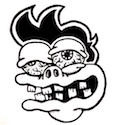
I'll see if I am allowed to post it. Chuck also helped me as well on this logo and I am forever indebted to his Toonage.
[img]style_emoticons/<#EMO_DIR#>/postpics.gif[/img]
[/b][/quote]
I'll see if I am allowed to post it. Chuck also helped me as well on this logo and I am forever indebted to his Toonage.
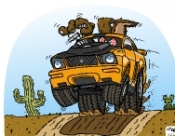
<div class='quotetop'>QUOTE(Blip @ April 20, 2006, 8:22 AM) Quoted post</div><div class='quotemain'>
Thanks for the mention Scott, I was glad to help in a small way.
Hope you can post it.
[/b][/quote]
Chuck, I sent Marc to your site, he's a car nut as well so maybe he'll check it out.
Oh and I can post it.
It was a simple logo, nothing much to it.
Thanks for the mention Scott, I was glad to help in a small way.
Hope you can post it.
[/b][/quote]
Chuck, I sent Marc to your site, he's a car nut as well so maybe he'll check it out.
Oh and I can post it.
It was a simple logo, nothing much to it.

Thread
Thread Starter
Forum
Replies
Last Post